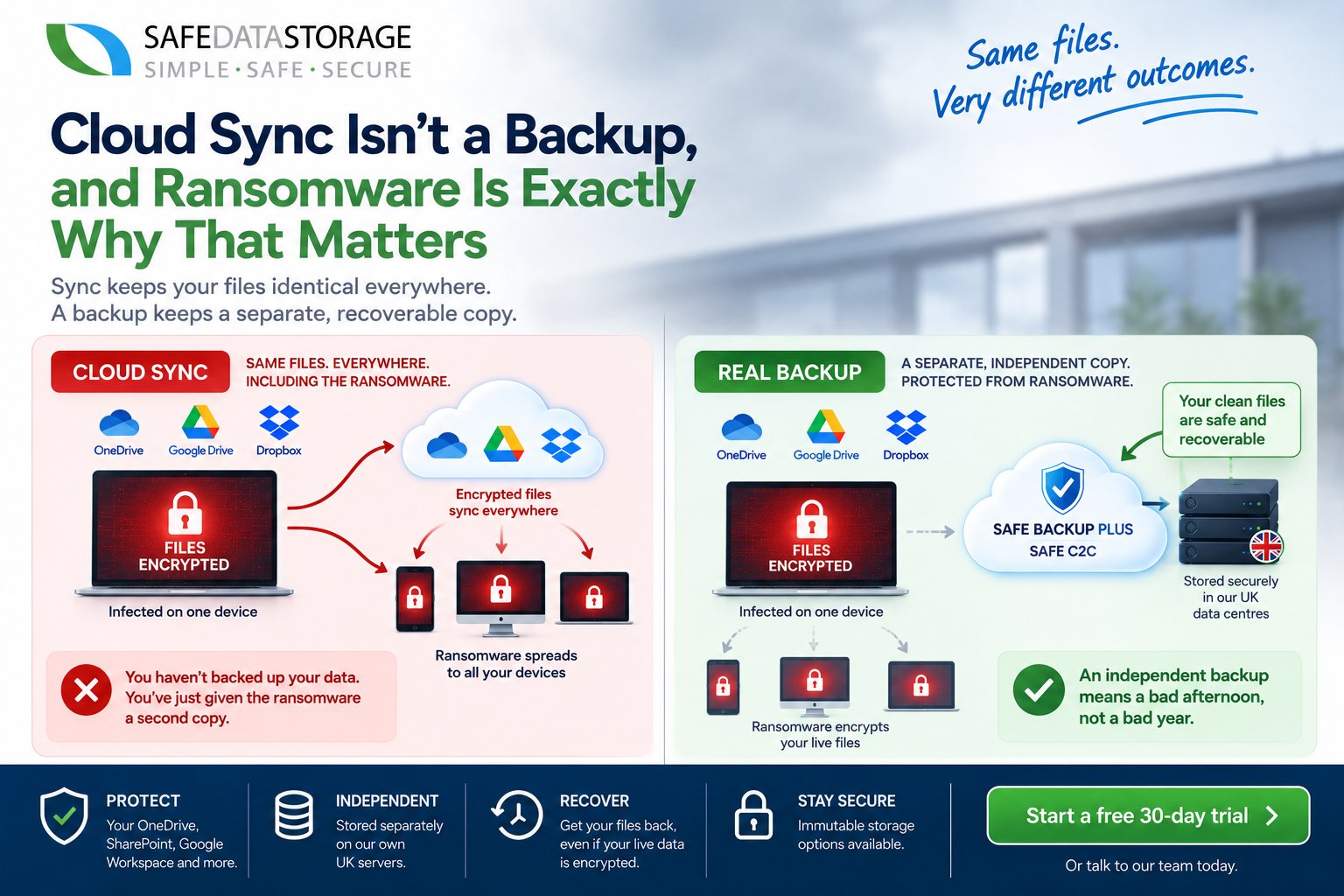
“It’s in OneDrive, so it’s backed up.” It’s one of the most common things we hear, and it’s wrong in a way that only becomes obvious at the worst possible moment.
Sync and backup sound like they do the same job. They don’t. Sync tools like OneDrive, Google Drive and Dropbox are built to keep files identical everywhere, your laptop, your phone, the cloud. That’s the whole point: change a file on one device, and it changes everywhere else within seconds. A backup does the opposite job on purpose, it keeps independent, point-in-time copies that don’t change just because your live files did.
That difference doesn’t matter at all, right up until something corrupts, deletes or encrypts your live files. Then it’s the only thing that matters.
Here’s what actually happens when ransomware hits a synced folder: the malware encrypts the files sitting on the machine, and because sync does exactly what it’s designed to do, those encrypted files get faithfully uploaded to the cloud copy within moments. You haven’t protected your data by having it in OneDrive. You’ve just given the ransomware a second copy to ruin, automatically, for free.
“But we have version history” is the next thing people usually say, and it’s a fair point that doesn’t hold up as well as it sounds. OneDrive and SharePoint keep a default limit of around 500 versions per file. Security researchers have already documented attackers deliberately exploiting exactly this: encrypt a file enough times, or simply lower the version limit before the attack, and the last clean version gets pushed out of history entirely. There’s also the recycle bin as a fallback, but that’s typically capped at 90 days, not a real substitute for a proper backup policy, and not something you want to be relying on to find out whether your business survives an attack.
None of this is a knock on Microsoft, Google or Dropbox. Sync does its actual job well. It was just never the job of protecting you from ransomware, accidental deletion, or a corrupted file quietly overwriting a good one across every synced device before anyone notices.
The fix is the same one it’s always been: an independent backup, held separately from the live, synced copy, with its own retention policy that an attacker sitting on your laptop can’t touch. That’s exactly what SAFE Backup PLUS and SAFE C2C are for, a genuinely separate copy of your files, your OneDrive, your SharePoint, your Google Workspace, sitting on its own infrastructure, so a ransomware attack on your synced files stays a bad afternoon instead of a bad year.
Start a free 30-day trial or talk to our team about backing up what sync alone can’t protect.